Physical Address
304 North Cardinal St.
Dorchester Center, MA 02124
Physical Address
304 North Cardinal St.
Dorchester Center, MA 02124

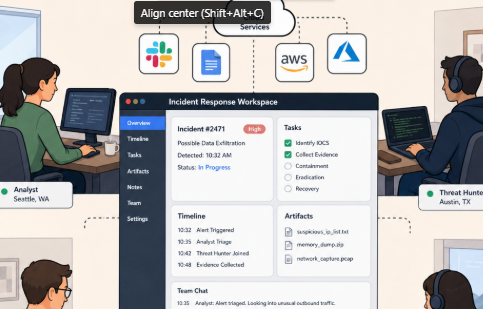
Quick answer: Opsgenie’s end of support is scheduled for April 5, 2027, after new sales already stopped on June 4, 2025. The best replacement depends on your stack: choose Jira Service Management for the official Atlassian migration path, PagerDuty for mature enterprise on-call, incident.io or Rootly for Slack/Teams-native response, FireHydrant for runbook-driven workflows, Grafana Cloud IRM if you already run Grafana, xMatters for large-scale notification orchestration, or Better Stack for a lean all-in-one stack. There is no single best option for every team — the right fit depends on your current tooling, chat platform, and process maturity.
If your team still relies on Opsgenie, the replacement decision is no longer theoretical. As of July 15, 2026, Atlassian’s Opsgenie page confirms new signups and sales have ended, with the end of sales effective June 4, 2025, and the end of support effective April 5, 2027, when access is scheduled to be shut off and unmigrated data deleted.
That gives incident, DevOps, SRE, IT operations, and customer support teams a clear window to choose a new stack, test it under pressure, and migrate without gambling on the last few months. The goal isn’t just to find another pager. It’s to replace Opsgenie with cloud-based productivity apps that help distributed teams detect issues, wake the right responder, coordinate in chat, update stakeholders, create follow-up work, and learn from every incident.
This guide walks through a practical selection process, then breaks down the best options by team fit.

Before you compare apps, document what Opsgenie currently owns. Teams often discover that Opsgenie handles more than alert routing — it may also manage on-call schedules, escalation policies, alert deduplication, stakeholder notifications, incident roles, service ownership, Jira ticket creation, Slack or Microsoft Teams coordination, post-incident review data, and reporting.
Build a simple inventory across four categories:
1. Alert sources
2. People and coverage
3. Incident response workflow
4. Compliance and trust requirements
This is where many migrations go wrong. A team picks a tool because it can page engineers, then later realizes it can’t reproduce the approval workflow, stakeholder updates, service ownership rules, or ChatOps experience that kept remote teams aligned.
Opsgenie replacements generally fall into four patterns. The right choice depends on how your team already works.
Best for organizations that already run service management through Jira — change management, assets, request portals, or a formal ITIL-style process. Atlassian states that Opsgenie features are now available in Jira Service Management and Compass, and that Jira Service Management supports on-call schedules, routing rules, escalation policies, Slack and Microsoft Teams chat channels, video conferencing, incident timelines, and Statuspage integration.
Best for teams that want a focused incident command platform treating Slack, Microsoft Teams, runbooks, status updates, retrospectives, and follow-up work as first-class parts of the response. incident.io, FireHydrant, and Rootly are built around this operating model.
Best for teams already living in Grafana, Datadog, Better Stack, or similar. The advantage is context: alerts, dashboards, logs, traces, and incidents sit closer together, reducing how many apps responders must open during a high-pressure outage.
Best for teams whose top requirement is reliable, large-scale notification orchestration across many teams, geographies, escalation policies, and business workflows. xMatters and PagerDuty fit this pattern well.
The best cloud-based productivity apps for incident response help people make decisions faster — not just make more noise. Use this checklist before booking demos.
Must-have capabilities:
Experience-based checks: During evaluation, don’t just ask “Can the product do this?” Ask, “Can a tired responder do this at 2:00 a.m. without reading documentation?” A replacement only proves itself under stress. Test the mobile app, a missed acknowledgement, a secondary escalation, a public status update, a private security incident, a holiday override, and a scenario where Slack or Teams is noisy and the incident commander needs a clean timeline.
| Tool | Best for | Core strength | Main watchout |
|---|---|---|---|
| Jira Service Management | Existing Atlassian shops | Official migration path from Opsgenie; connects to Jira, Confluence, Statuspage | Opsgenie Slack integrations and custom actions don’t migrate automatically |
| PagerDuty | Large, mature on-call operations | Proven enterprise paging, escalation, and service ownership at scale | Can be more platform than small teams need |
| incident.io | Slack/Teams-native response | Incident declaration, on-call, and status pages in one native chat flow | Needs clean integration with ITSM/ticketing systems |
| FireHydrant | Runbook-driven process | Structured severities, roles, and AI-assisted incident summaries | Requires process maturity to get full value |
| Rootly | Customizable Slack-centric workflows | Native Opsgenie/PagerDuty import; flexible automation | Customization needs strong governance |
| Grafana Cloud IRM | Teams already on Grafana Cloud | Unifies observability and incident response | Distinct from the now-archived Grafana OnCall OSS |
| xMatters | Large-scale notification orchestration | Deep escalation and multi-channel enterprise workflows | More complex administration than lightweight teams need |
| Better Stack | Lean startups and small teams | Monitoring, on-call, and status pages in one product | Less suited to complex enterprise escalation needs |
There’s no single best app for every organization. The strongest choice depends on your current Atlassian footprint, chat platform, observability stack, budget model, compliance requirements, and how mature your incident process already is.
Jira Service Management is the most direct option for teams that want to stay in the Atlassian ecosystem. Atlassian’s migration documentation states that Opsgenie is being phased out as part of a move toward Jira Service Management, with a migration tool designed to transition Opsgenie data and configurations.
Best fit: Teams already using Jira, Confluence, Statuspage, Compass, or Atlassian Guard; IT operations teams that want incident response connected to service requests, changes, assets, and knowledge articles; organizations that prefer a vendor-supported migration over a third-party tool switch.
Why it can replace Opsgenie: Jira Service Management includes incident management, on-call schedules, routing, escalation policies, Slack and Microsoft Teams collaboration, video bridge options, incident timelines, and Statuspage integration.
Watchouts: The official migration path doesn’t map every Opsgenie behavior one-to-one. Atlassian’s support documentation notes that Opsgenie Slack integrations for incidents don’t sync automatically, and that the Incident Command Center is deprecated.
How to evaluate it: Run a pilot with one production and one non-production service. Recreate schedules, escalation policies, alert routing, Slack/Teams workflows, and status updates. If you rely on custom Opsgenie actions or incident rules, verify them early — Atlassian notes these aren’t automatically moved to Jira Service Management.
PagerDuty fits when your top priority is robust paging, escalation, service ownership, and operational response at scale. PagerDuty’s documentation describes incidents as service-triggered problems that escalate according to escalation policies, with on-call schedules connecting to services through those policies.
Best fit: Enterprises with many services, teams, and escalation paths; organizations needing a proven paging layer; teams wanting broad integrations and mature on-call management.
Why it can replace Opsgenie: PagerDuty supports schedules, escalation policies, incident acknowledgement and resolution workflows, notification rules, service integrations, and Slack workflows — including declaring an incident directly from Slack when configured.
Watchouts: PagerDuty can be more platform than a lightweight team needs. If you only need simple on-call scheduling for a handful of engineers, weigh the packaging against your budget and process maturity.
How to evaluate it: Model your noisiest service in PagerDuty. Test alert grouping, escalation delay, missed acknowledgements, mobile notifications, Slack commands, stakeholder communication, and reporting.
incident.io suits teams that want incident response to happen where collaboration already happens. Its pricing page describes Slack- or Teams-native incident response, single-team on-call, and a status page, while alerts, schedules, escalations, and notifications reach responders via phone, email, SMS, push, and Slack.
Best fit: Product engineering and SRE teams that live in Slack or Teams; organizations wanting declaration, coordination, status updates, and follow-ups in one flow; teams that prioritize responder experience and lightweight adoption.
Why it can replace Opsgenie: incident.io combines on-call alerting with incident coordination and status pages, and supports checking who’s on call directly from a Slack shortcut — useful for finding the right responder without triggering an unnecessary page.
Watchouts: Teams with strict ITSM requirements should compare incident.io’s workflow against their ticketing, change, asset, and compliance processes.
How to evaluate it: Simulate a Sev1 incident entirely from Slack or Teams — start it, page responders, assign roles, post a stakeholder update, create follow-up work, and close it. Then ask responders whether context switching dropped.
FireHydrant fits teams wanting structured response, automated runbooks, service ownership, and stakeholder communication in one workflow. FireHydrant states teams can run incidents start to finish in Slack or Teams, automate status updates, and use AI for meeting transcripts, incident summaries, and status page updates.
Best fit: Teams that want repeatable incident processes; organizations with defined roles, severities, runbooks, and service catalogs; remote teams needing consistent execution across time zones.
Why it can replace Opsgenie: FireHydrant supports on-call paging and lookup from Slack, status page attachment and updates, Slack/Teams collaboration, and incident workflows tied to services and teams.
Watchouts: FireHydrant rewards process maturity. If your current response is informal, budget time to define severities, roles, runbooks, and service ownership rather than expecting the tool switch alone to create discipline.
How to evaluate it: Build one runbook for a common outage and one for a high-severity customer-impacting incident. Test whether the tool reduces forgotten steps — assigning a commander, posting updates, opening a bridge, creating tickets, scheduling a retrospective.
Rootly suits teams wanting incident management, on-call, Slack automation, status pages, retrospectives, and workflow customization. Rootly’s documentation confirms support for on-call schedules, alert routing, Slack automation, escalation policies, and third-party imports — including direct PagerDuty and Opsgenie imports.
Best fit: Engineering organizations wanting flexible incident forms and workflows; teams migrating from Opsgenie or PagerDuty; Slack-heavy remote teams wanting fast incident creation.
Why it can replace Opsgenie: Rootly supports incident creation from Slack, lifecycle status updates from Slack, on-call paging through Slack commands, and workflows that automate paging, status-page syncing, ticket creation, role assignment, and retrospectives.
Watchouts: Highly customizable tools get messy without governance. Decide who owns incident fields, severity definitions, and automation reviews before rolling out to every team.
How to evaluate it: Import a sample of Opsgenie-like teams and schedules, then run a Slack-first incident. Score how easily you can page the right team, change severity, update status, generate a timeline, and create follow-up actions.
Grafana Cloud IRM is worth evaluating if your monitoring, dashboards, and alerting already live in Grafana Cloud. Grafana describes IRM as fully managed incident and response management with on-call scheduling and notifications, with Slack and Teams integrations connecting collaboration tools directly to IRM.
Best fit: Teams already on Grafana Cloud for observability; engineering groups wanting alerts, dashboards, and response closer together; organizations seeking a unified observability-to-response workflow.
Why it can replace Opsgenie: Grafana Cloud IRM brings incident response and on-call management into one app, with Slack integration supporting incident workflows directly inside Slack.
Watchouts: Don’t confuse Grafana Cloud IRM with the older Grafana OnCall OSS. Grafana announced that Grafana OnCall OSS entered maintenance mode and was scheduled for archival on March 24, 2026, pointing users toward Grafana Cloud IRM as the supported path.
How to evaluate it: Run the pilot from a live Grafana alert. Confirm it opens the right incident workflow, notifies the correct on-call responder, creates a clean Slack/Teams collaboration path, and preserves context for post-incident review.
xMatters fits when your replacement must handle complex on-call schedules, escalations, notifications, workflow automation, and enterprise communication. Its pricing page lists global on-call scheduling, rotating shifts, escalation policies, Slack/Teams direct chat notifications, incident timelines, incident roles, ChatOps, collaboration channels, and reporting.
Best fit: Large IT and operations teams; organizations with many escalation groups and notification channels; enterprises needing workflow automation around incident response.
Why it can replace Opsgenie: xMatters supports on-call scheduling, escalation, incident management, Slack/Teams collaboration, status page workflows, mobile push, SMS, voice, and reporting — including adding collaboration channels like Slack, Teams, or an xMatters-hosted conference bridge to incident workflows.
Watchouts: If you just want a lightweight ChatOps tool for a small engineering team, xMatters may be more enterprise-oriented than necessary. Validate ease of administration, not only feature depth.
How to evaluate it: Test a multi-team escalation across engineering, IT operations, customer support, and a manager escalation. Confirm each audience gets the right message on the right channel and the audit trail is easy to review.
Better Stack is a practical fit for teams wanting incident management close to uptime monitoring, logs, traces, metrics, and status pages. Better Stack describes its platform as including incident management, on-call, monitoring, status pages, and unlimited phone/SMS alerts on responder access, with built-in on-call scheduling and Slack/Teams workflows.
Best fit: Startups and lean engineering teams; teams wanting monitoring and incident response in one product; groups wanting a simpler operational stack with fewer separate apps.
Why it can replace Opsgenie: Better Stack supports on-call scheduling, incident management, status pages, Slack/Teams integrations, and integrations for calendars, project management, webhooks, and workflow automation.
Watchouts: Teams with complex enterprise escalation policies, multi-region support needs, or strict procurement controls should compare Better Stack against PagerDuty, xMatters, Jira Service Management, and the dedicated incident platforms before committing.
How to evaluate it: Use one externally monitored service, one internal alert source, and one status page. Test whether your team can go from detection to notification to status update without switching between too many apps.

Don’t migrate every team at once. Run a focused pilot that exposes real operational risk without endangering the business.
Step 1 — Choose one representative service. Pick a service with meaningful alerts, a real on-call rotation, and a manageable number of stakeholders. Skip the quietest service (it won’t test the workflow) and the riskiest service (you still need room to learn).
Step 2 — Recreate the current Opsgenie workflow. For the pilot service, replicate alert integrations, deduplication rules, primary/secondary schedules, escalation policies, notification methods, manual paging, chat channel creation, incident severity fields, status page process, ticket/task creation, and the post-incident review template. Then flag what can’t be reproduced exactly — some gaps are improvements, others are blockers.
Step 3 — Run three test incidents:
The missed-page test matters most. A paging tool is only trustworthy if it behaves correctly when humans don’t.
Step 4 — Measure the responder experience. Ask responders whether the alert included enough context, whether acknowledgement was obvious on mobile, whether escalation happened as expected, whether they could find the runbook quickly, whether it was easy to pull in another team, whether Slack/Teams stayed organized, whether status updates were easy to publish, and whether the timeline helped the retrospective. People with real incident experience should validate the workflow — not just procurement or platform owners.
Step 5 — Check administration and governance. Before rollout, define who can create schedules, edit escalation policies, own service mappings, approve automation changes, manage integrations, review noisy alerts, audit permissions, and export data for compliance. A replacement that feels great for one team can turn chaotic at 30 teams.
Phase 1 — Foundation: Export or document Opsgenie teams, schedules, policies, and integrations. Freeze major workflow changes during migration. Define severity levels and incident roles. Confirm SSO, SCIM, audit logs, and data retention. Set up a sandbox or pilot workspace.
Phase 2 — Workflow rebuild: Recreate schedules and escalation policies. Connect alert sources. Build service ownership rules. Configure Slack or Teams. Create templates for incidents, updates, and retrospectives. Connect ticketing, status pages, and documentation.
Phase 3 — Parallel run: Run the new tool alongside Opsgenie for selected services for a short period. Watch for duplicate notifications, missing escalations, incorrect responders, noisy alerts, and broken links to runbooks or dashboards.
Phase 4 — Cutover: Announce the cutover date. Update runbooks and onboarding docs. Train responders and incident commanders. Move alert sources service by service. Keep a rollback path for critical integrations. Monitor acknowledgement and escalation performance closely.
Phase 5 — Post-migration improvement: After the first month, review alert volume by service, missed or delayed acknowledgements, escalation frequency, time to acknowledge, time to resolve, incidents without status updates or follow-up owners, responder feedback, and stakeholder communication quality. The migration isn’t finished when alerts flow — it’s finished when the new workflow is trusted during real incidents.

When does Opsgenie shut down?
Opsgenie’s end of sale took effect June 4, 2025, and end of support is scheduled for April 5, 2027. After that date, Atlassian’s Opsgenie pricing page indicates access is scheduled to be shut off and unmigrated data deleted.
What is the official Opsgenie replacement from Atlassian?
Atlassian is directing Opsgenie customers toward Jira Service Management, which includes on-call scheduling, escalation policies, routing rules, and incident management, along with a migration tool for transitioning existing Opsgenie data and configurations.
Do Opsgenie Slack integrations transfer automatically to Jira Service Management?
No. Atlassian’s support documentation confirms that Opsgenie Slack integrations for incidents don’t sync automatically, and that custom Opsgenie actions and incident rules must be rebuilt manually in Jira Service Management.
What’s the best Opsgenie alternative for a small startup team?
Better Stack or incident.io tend to fit small, lean teams best, since both combine on-call, incident response, and status pages without the administrative overhead of enterprise-grade platforms like PagerDuty or xMatters.
Is PagerDuty better than Opsgenie?
PagerDuty and Opsgenie serve a similar core function — paging and escalation — but PagerDuty is generally positioned for larger, more mature on-call operations with broader integrations and enterprise-grade service ownership features.
How long should an Opsgenie migration pilot run?
Most teams should pilot on one representative service through at least three test incidents (a simple alert, a missed page, and a major multi-team incident) before expanding to additional teams, so operational gaps surface before a full cutover.
The best Opsgenie replacement is the one your responders will actually use correctly under pressure. For some teams, that means staying with Atlassian and moving to Jira Service Management. For others, it means adopting a dedicated incident platform like incident.io, FireHydrant, or Rootly. For observability-heavy teams, Grafana Cloud IRM or Better Stack may reduce context switching. For complex enterprise notification requirements, PagerDuty or xMatters may be the safer choice.
When comparing cloud-based productivity apps, prioritize workflow fit over feature count. A tool with fewer features but clearer escalation, better mobile acknowledgement, cleaner chat coordination, and easier status updates can outperform a larger platform that responders struggle to use.
Your next step is simple: inventory your current Opsgenie workflows, choose two or three replacement candidates, and run the same incident simulation in each. The winning app should make the right responder obvious, the next action clear, the communication consistent, and the post-incident learning easier.
Als0 Read How to convert yt to mp3

I am Muhammad Ali the founder and lead voice behind Techgory, a platform born out of a deep fascination with everyday technology and digital tools. Instead of relying on dense, confusing jargon, I focus on heavy research, hands-on testing, and breaking down complex tech into simple, actionable steps that anyone can understand.